QK4
Remote control software for the Elecraft K4
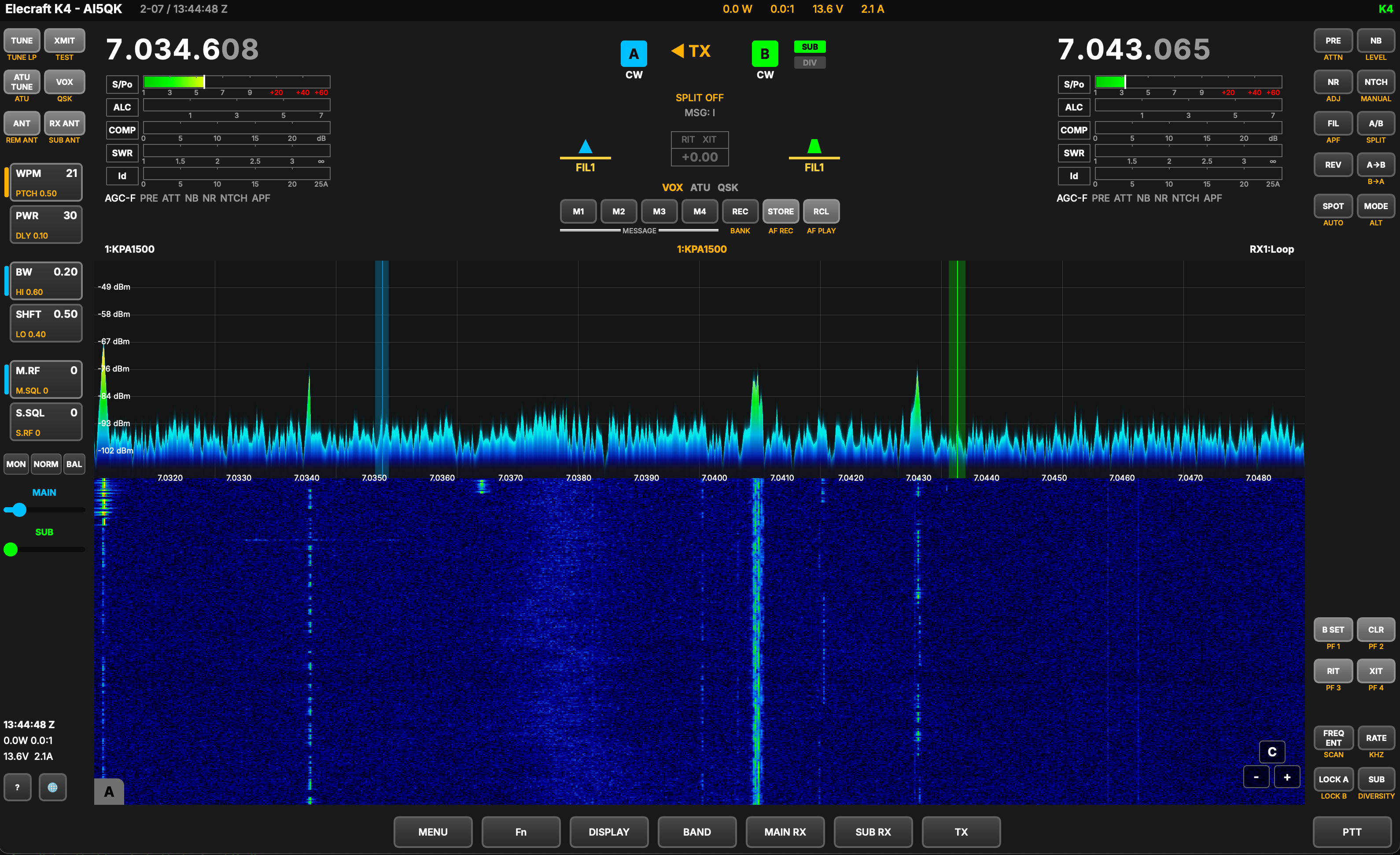
The first fully cross-platform remote control application for the Elecraft K4. Built to bring the complete K4 operating experience — every control, meter, and display — to macOS, Windows, and Raspberry Pi. Operate your K4 from anywhere on your network, exactly as if you were sitting in front of it.
About
QK4 was created to fill a gap in the Elecraft ecosystem — a native, purpose-built remote control application that runs on any platform. No emulators, no workarounds, no compromises. Full spectrum and waterfall display, dual VFO control, audio streaming, and CW/voice operation over your local network.
Links
Requirements
| macOS |
macOS 14 (Sonoma) or later Apple Silicon (M1/M2/M3/M4) |
| Windows |
Windows 11, x64 No prerequisites — runtime libraries are bundled. |
| Pi |
Pi 4 or 5, ARM64 Debian Trixie |
| Linux |
x86_64, any distribution Requires Flatpak and the KDE 6.10 runtime. |
Getting Started
| macOS |
Open the DMG and drag to Applications. Signed and notarized — no Gatekeeper warnings. |
| Windows |
Extract the ZIP and run QK4.exe.Nothing to install — the Visual C++ runtime ships inside the package. |
| Pi |
Extract the tarball and run ./QK4/run.sh.First run requires sudo to install a udev rule for KPOD USB access. After that, sudo is not needed.
|
| Linux |
Install with flatpak install --bundle <file>.flatpak, then run
flatpak run io.github.mikeg_dal.QK4.Add Flathub and the KDE runtime first if you do not have them: flatpak install flathub org.kde.Platform//6.10
|
Development & Feedback
QK4 is under active development. New features, bug fixes, and improvements are being worked on regularly. If you run into a problem or have a suggestion, we'd love to hear from you.
View Current Open Issues on GitHub